
Entry Requirements
Entry requirements let you control who can join your tournament, adding exclusivity and enabling unique playing conditions. Use these features to target specific communities, create multi-stage events, or restrict access as needed.
Token Gating
You can require participants to own specific NFTs or tokens to enter your tournament. This is a great way to host exclusive events for certain communities without manually tracking eligible accounts.
Token gating uses the same Ekubo-sourced token list as entry fees and prizes, so any ERC20 listed on the Ekubo API can be used as a gate, alongside the curated NFT collections.
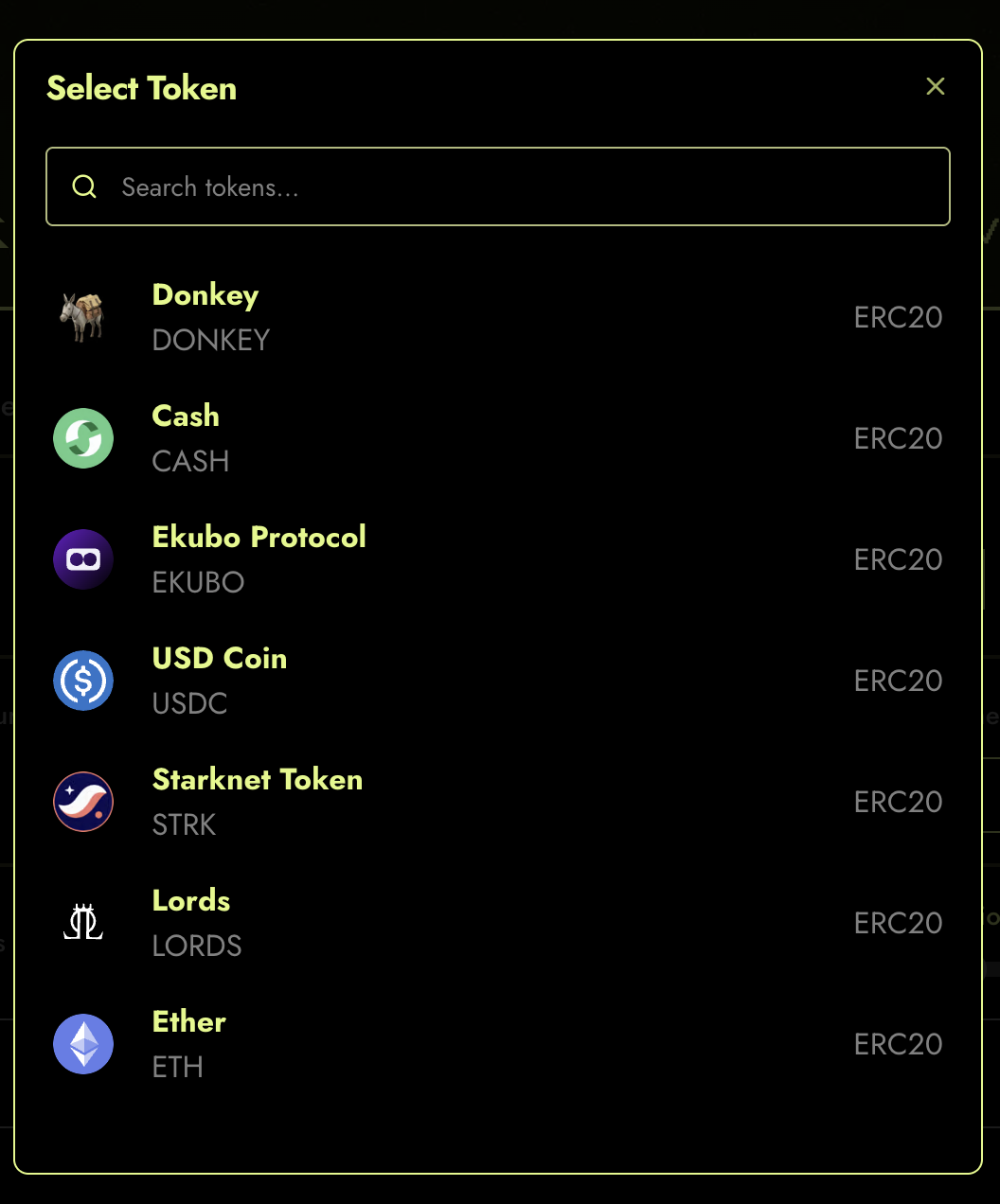
Figure 1: Gated tokens currently supported.
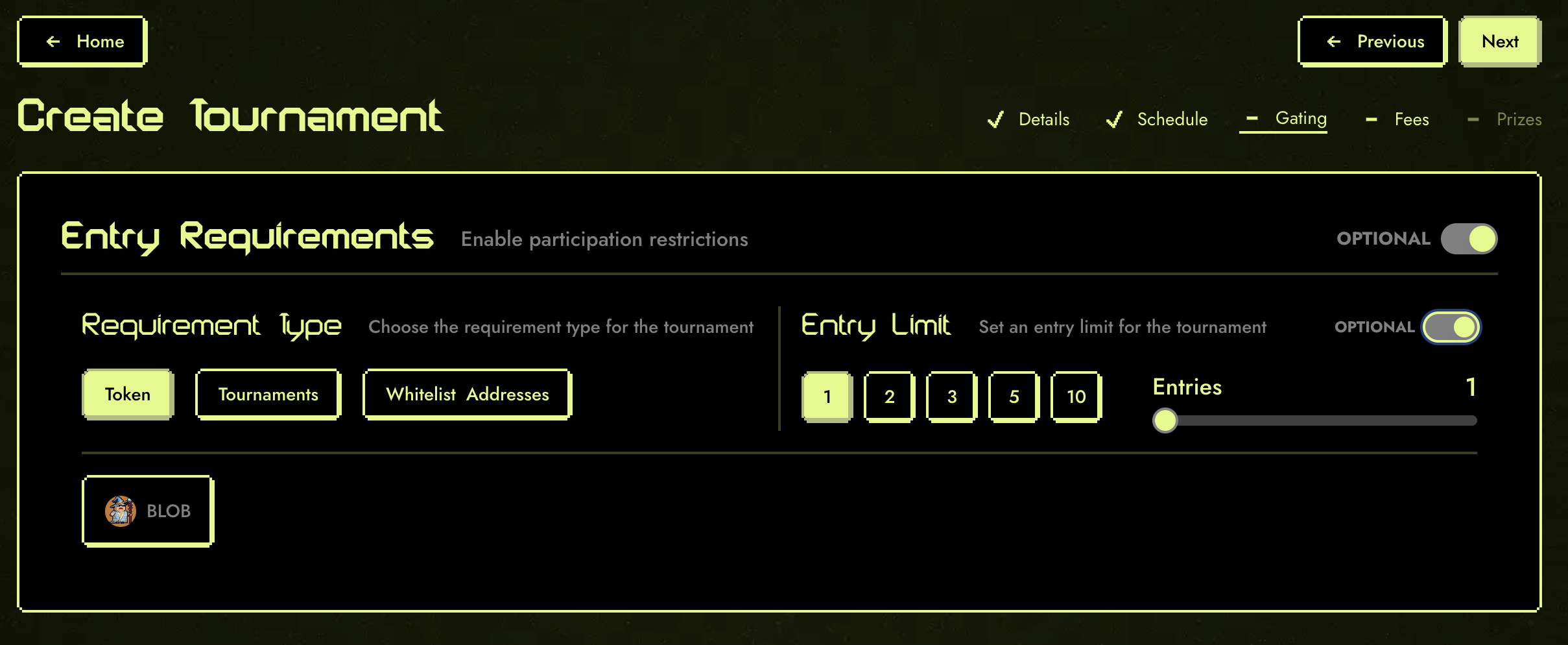 Figure 2: Token Entry Requirements Form.
Tip: Use token gating to reward loyal holders or run special events for your community.
Tournament Qualification
Budokan allows you to chain tournaments together, unlocking advanced formats such as:
- Multi-round tournaments
- Multi-game tournaments
- Multi-game, multi-round tournaments
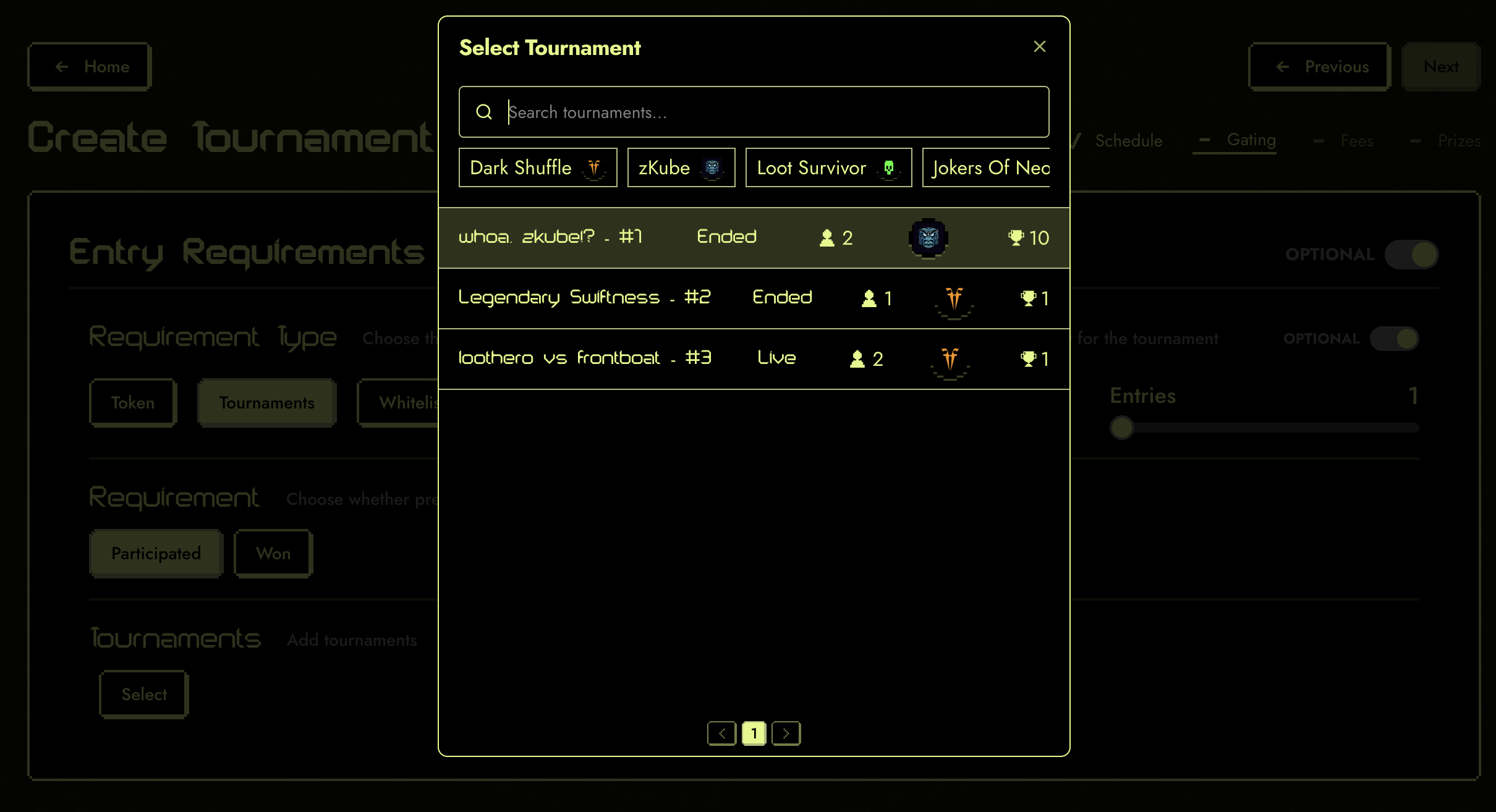 Figure 3: Selecting participants of a previous tournament.
By leveraging Starknet composability, you can create tournament structures that were not possible before. For example, you can require players to qualify in one tournament before entering another, or combine results across multiple games.
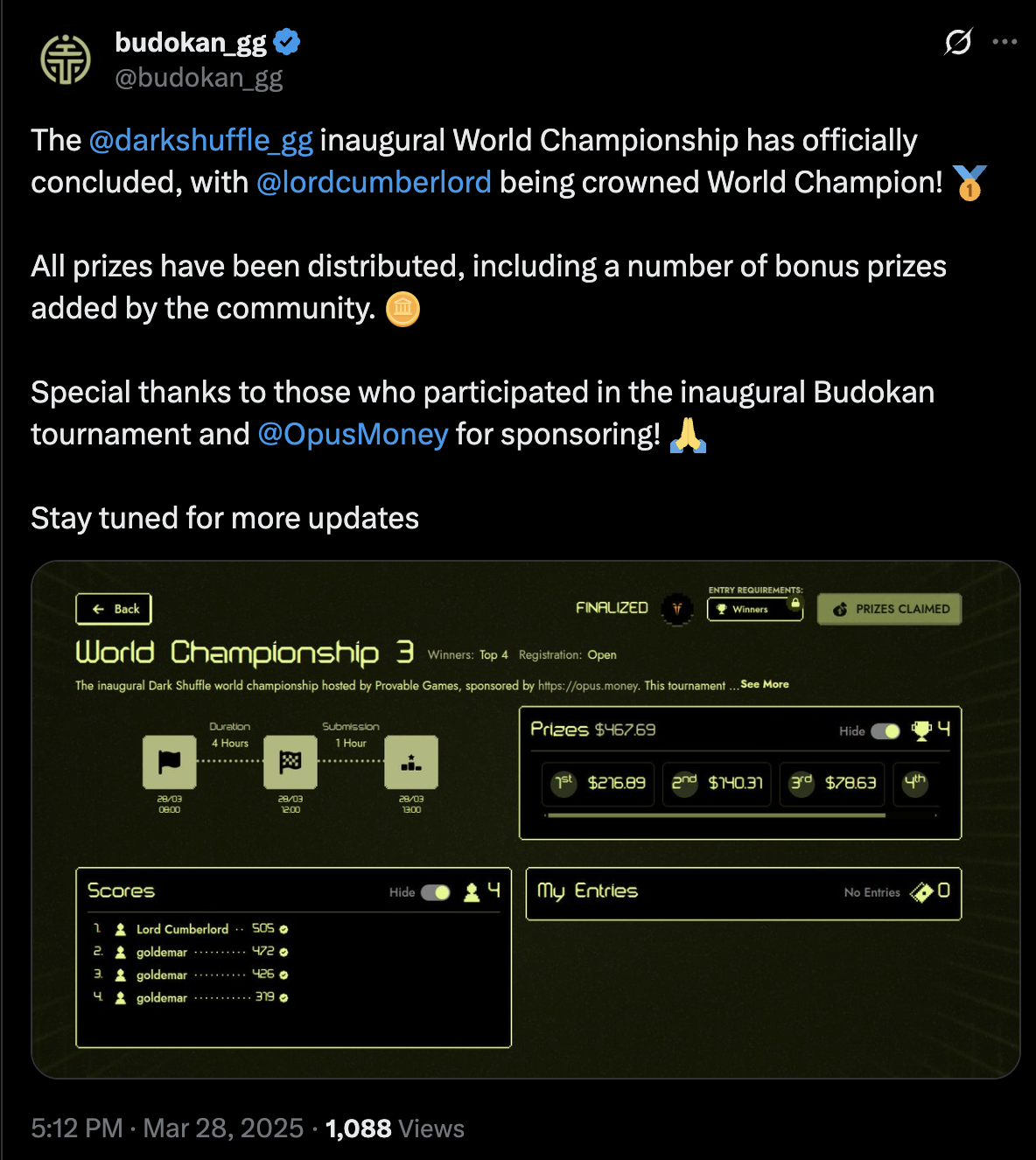
Figure 4: Dark Shuffle World Championship.
Note: Chaining tournaments is a powerful way to build leagues, championships, or community-driven series.
Whitelisting Addresses
You can also restrict tournament access by whitelisting specific wallet addresses. Only those on the list will be able to join.
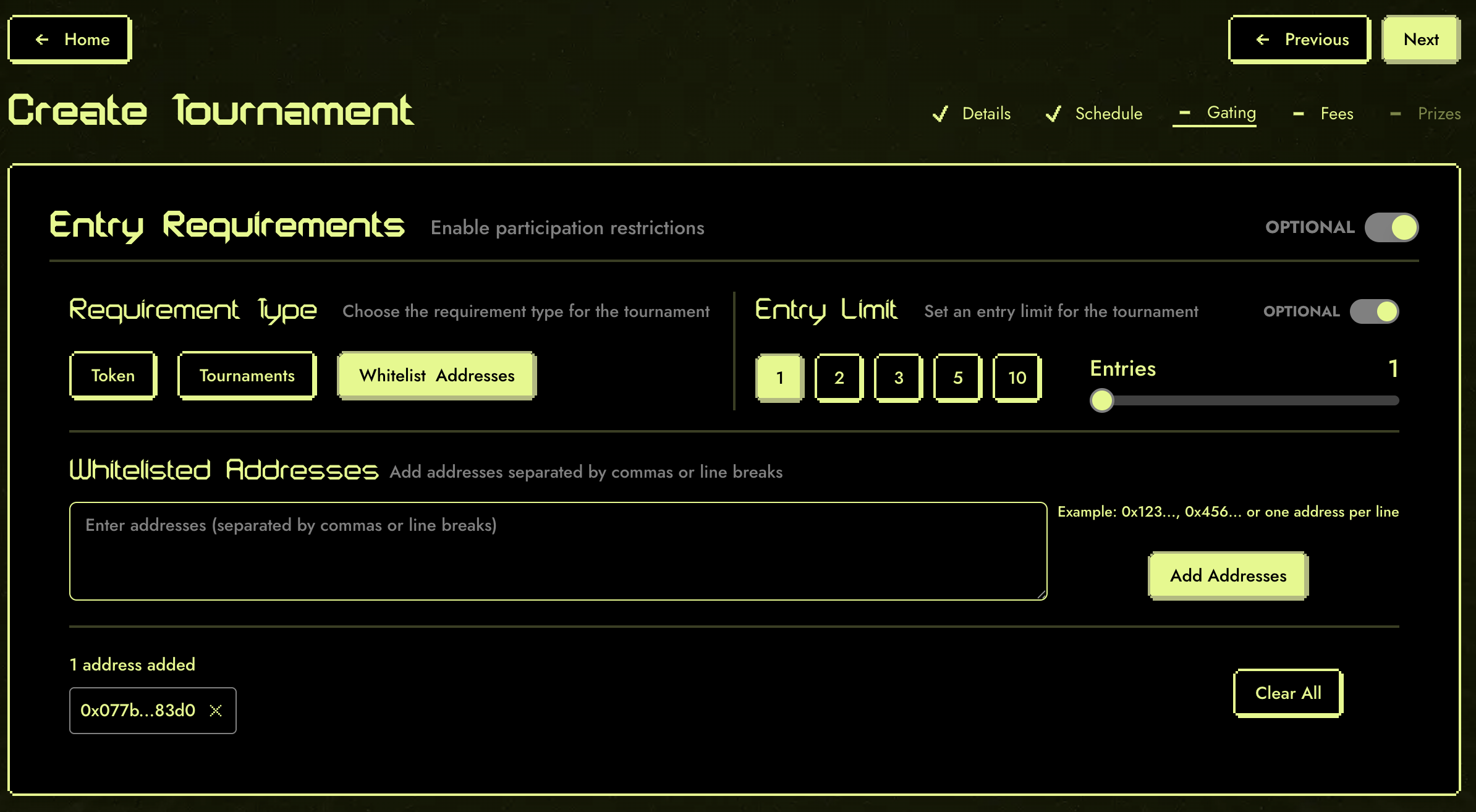 Figure 5: Whitelisting addresses for tournament entry.
Tip: Use whitelisting for invitation-only events or to reward select players.
Extension Validators
Beyond the built-in entry types above, Budokan supports extension validators — custom smart contracts that implement the IEntryRequirementExtension interface. These allow anyone to create new entry gating logic without modifying Budokan itself.
Extension validators are called at two key moments:
- At entry time (
valid_entry/add_entry) — to check if a player qualifies and track their entry - At ban time (
should_ban/remove_entry) — to check if an existing entry should be revoked
Available Validators
| Validator | Description |
|---|---|
| ERC20 Balance | Validates that a player holds a minimum token balance |
| Tournament Qualification | Requires participation in a previous tournament |
| Opus Troves | Validates based on Opus Trove collateral positions |
| Merkle | Validates membership in a Merkle-tree allowlist |
These validators ship as presets in the metagame-extensions presets/ package. Deployed addresses for mainnet and sepolia are listed in the Budokan overview. For the underlying component model, see the Metagame Extensions reference in the EGS docs.
Example: ERC20 Balance Validator
The ERC20 Balance validator checks that a player holds a sufficient balance of a specific token. This is more powerful than simple token gating because it enables post-entry enforcement via the banning mechanism.
The attack it prevents: Without a balance validator, a player could hold a qualifying token, enter the tournament, then transfer the token to a second wallet and enter again — effectively getting unlimited entries from a single token position. The ERC20 Balance validator solves this because:
- At entry time, it checks the player's balance meets the threshold
- After entry, anyone can call
ban_entryon a player whose balance has dropped below the requirement - The validator's
should_banfunction re-checks the current balance and confirms the ban if the player no longer qualifies - The banned entry is removed from the leaderboard and the player's entry count is decremented
This makes token-transfer exploits unprofitable — transferring tokens to enter from multiple wallets means earlier entries get banned.
Building Custom Validators
Extension validators implement the IEntryRequirementExtension interface:
trait IEntryRequirementExtension<TState> {
fn is_context_registered(self: @TState, context_owner: ContractAddress, context_id: u64) -> bool;
fn bannable(self: @TState, context_owner: ContractAddress, context_id: u64) -> bool;
fn valid_entry(self: @TState, context_owner: ContractAddress, context_id: u64, player_address: ContractAddress, qualification: Span<felt252>) -> bool;
fn should_ban(self: @TState, context_owner: ContractAddress, context_id: u64, game_token_id: felt252, current_owner: ContractAddress, qualification: Span<felt252>) -> bool;
fn entries_left(self: @TState, context_owner: ContractAddress, context_id: u64, player_address: ContractAddress, qualification: Span<felt252>) -> Option<u32>;
fn add_config(ref self: TState, context_id: u64, entry_limit: u32, config: Span<felt252>);
fn add_entry(ref self: TState, context_id: u64, game_token_id: felt252, player_address: ContractAddress, qualification: Span<felt252>);
fn remove_entry(ref self: TState, context_id: u64, game_token_id: felt252, player_address: ContractAddress, qualification: Span<felt252>);
}Key design points:
- Validator storage is namespaced by
(context_owner, context_id). Writes (add_config,add_entry,remove_entry) are always performed by the owner contract, so they take onlycontext_id. Reads takecontext_ownerexplicitly so frontends and indexers can disambiguate contexts that share anidacross different owner contracts. bannable— returnstrueif entries for this context support post-entry banning. Whenfalse,should_banalways returnsfalseand entries can't be revoked once admitted.is_context_registered— lets external callers check whether a(context_owner, context_id)has been initialised viaadd_config.valid_entryMUST enforce both eligibility (the gating condition) and the per-player entry quota. The framework treatsvalid_entry == trueas the sole authority to admit an entry on the hot path — it does not cross-checkentries_leftafterward. Returningtruefor a quota-exhausted player is a quota bypass.should_ban/remove_entry— enable post-entry enforcement, allowing the community to police invalid entries via Budokan'sban_entry.
Note: The extension validator system is fully open — anyone can deploy a new validator contract and use it with Budokan tournaments.
Banning Mechanism
Budokan's ban_entry function provides a permissionless way to remove invalid entries from tournaments that use extension validators. Anyone can call it — you don't need to be the tournament creator.
When ban_entry is called:
- Budokan looks up the tournament's extension validator
- Calls
should_banon the validator with the entry's current owner and proof data - If the validator confirms the ban, the entry is removed from the leaderboard
- The validator's
remove_entryis called to update its internal tracking
This creates a community-enforced security model — exploit attempts can be detected and punished by any participant, not just administrators.
Related Guides
If you have questions or need help, check the FAQ or contact support through the app.